Know exactly where every language stands
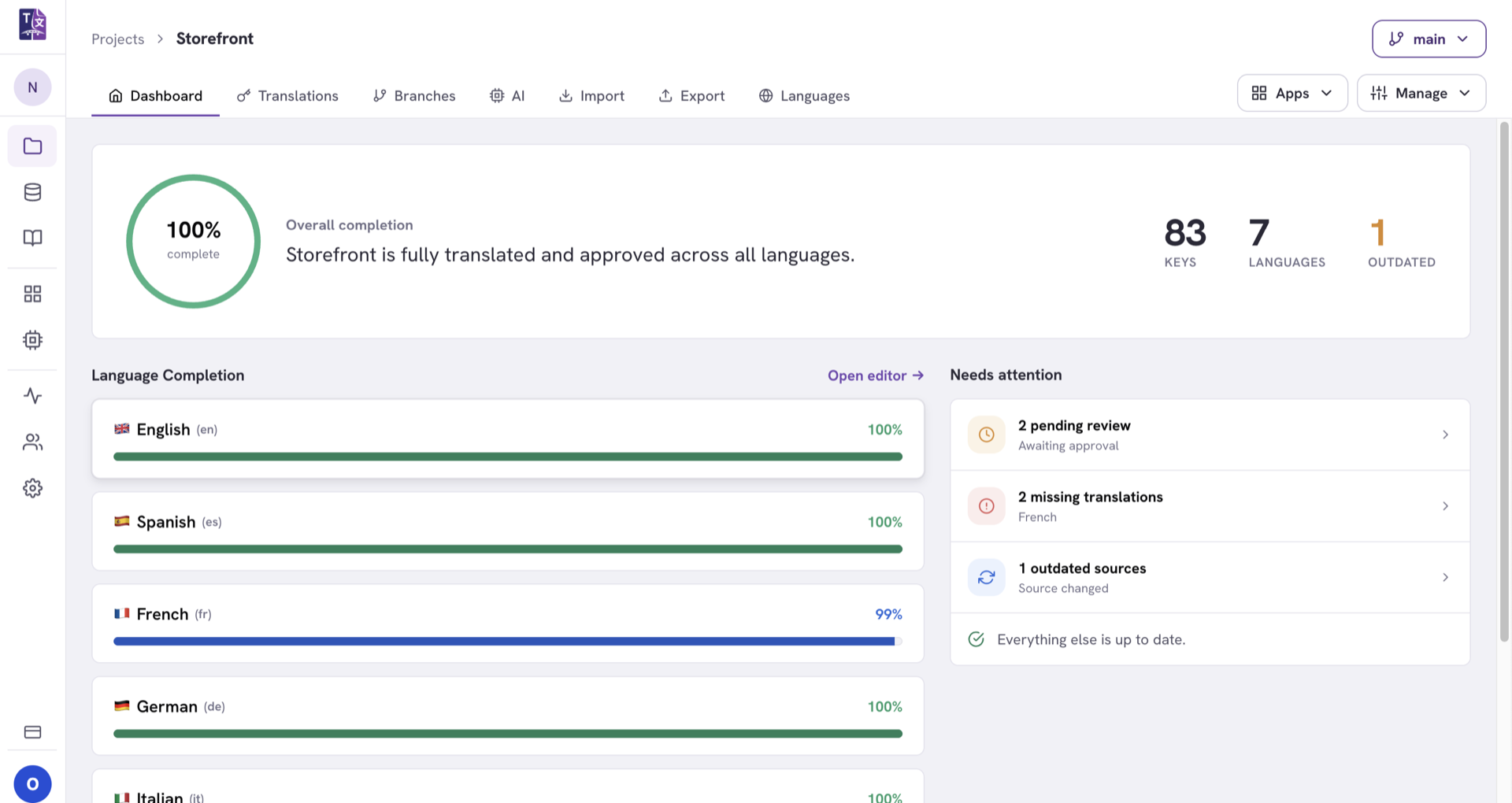
Each project opens on a live dashboard: what the AI covered, what is waiting on a reviewer, and how far each language has come. Outdated detection and a full activity log mean nothing drifts silently.
Answer "are we ready to ship?" instantly
No more chasing spreadsheets for status. The dashboard shows what's done, what's pending and what needs another look.
Completion at a glance
Overall progress up top, per-language completion below.
Outdated detection
Change the English and every dependent translation is flagged.
Activity log
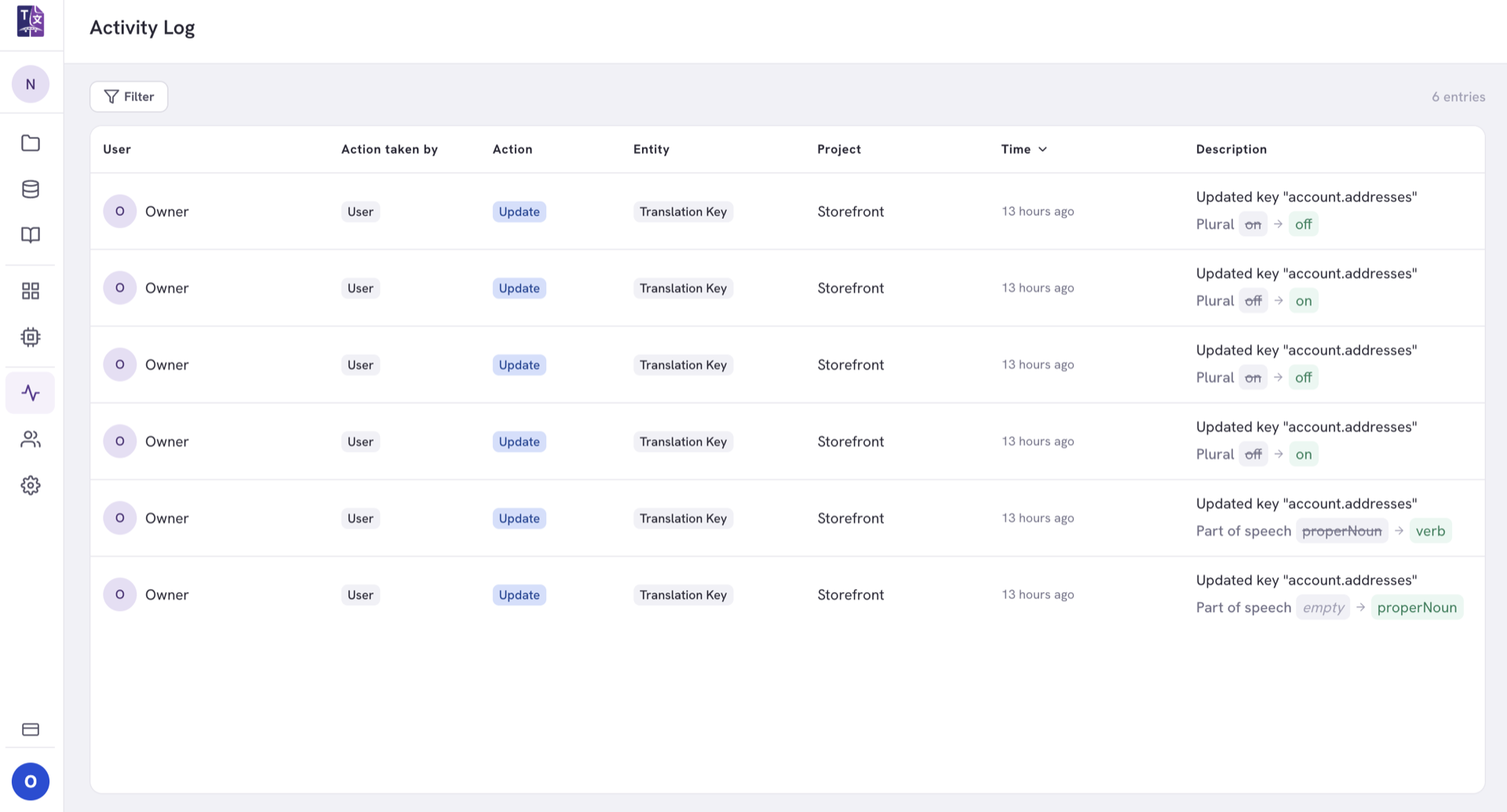
Every edit, approval and import, filterable, with author and time.
Per-language completion, live
Completion per locale and an approved / pending / draft split, each one clickable through to its keys.
Completion bars show how far each locale has come, and the approval breakdown splits work into approved, pending review and draft. Click a metric to jump straight to the keys behind it.
- Overall and per-language completion in one view.
- Approval breakdown approved, pending and draft counts.
- Click through from a metric to the exact keys.
- Spend by project and by language, while you are spending it, not when the invoice arrives.
Outdated detection and a full audit trail
Change a source string and its translations are marked outdated. Everything else lands in the log.
When a source string changes, TextSetu marks its translations outdated so reviewers know what to revisit. Every action lands in the activity log, giving you a complete, filterable history per project, glossary and memory.
- Outdated flags the moment a source string changes.
- Filter by outdated to clean up in one pass.
- Complete history of who did what, and when.
Explore related features
See where every language stands
Open a project and get completion, outdated flags and a full activity log instantly.